-
Anasayfa
-
Elektronik
-
Bilgisayar ve Tablet
-
Bilgisayar Bileşenleri
-
Arduino Parçaları ve Setleri
- Waveshare Arduino Parçaları ve Setleri

STM8 ve STM32 Programlama ve Debug Kartı ST-LINK - V2
Waveshare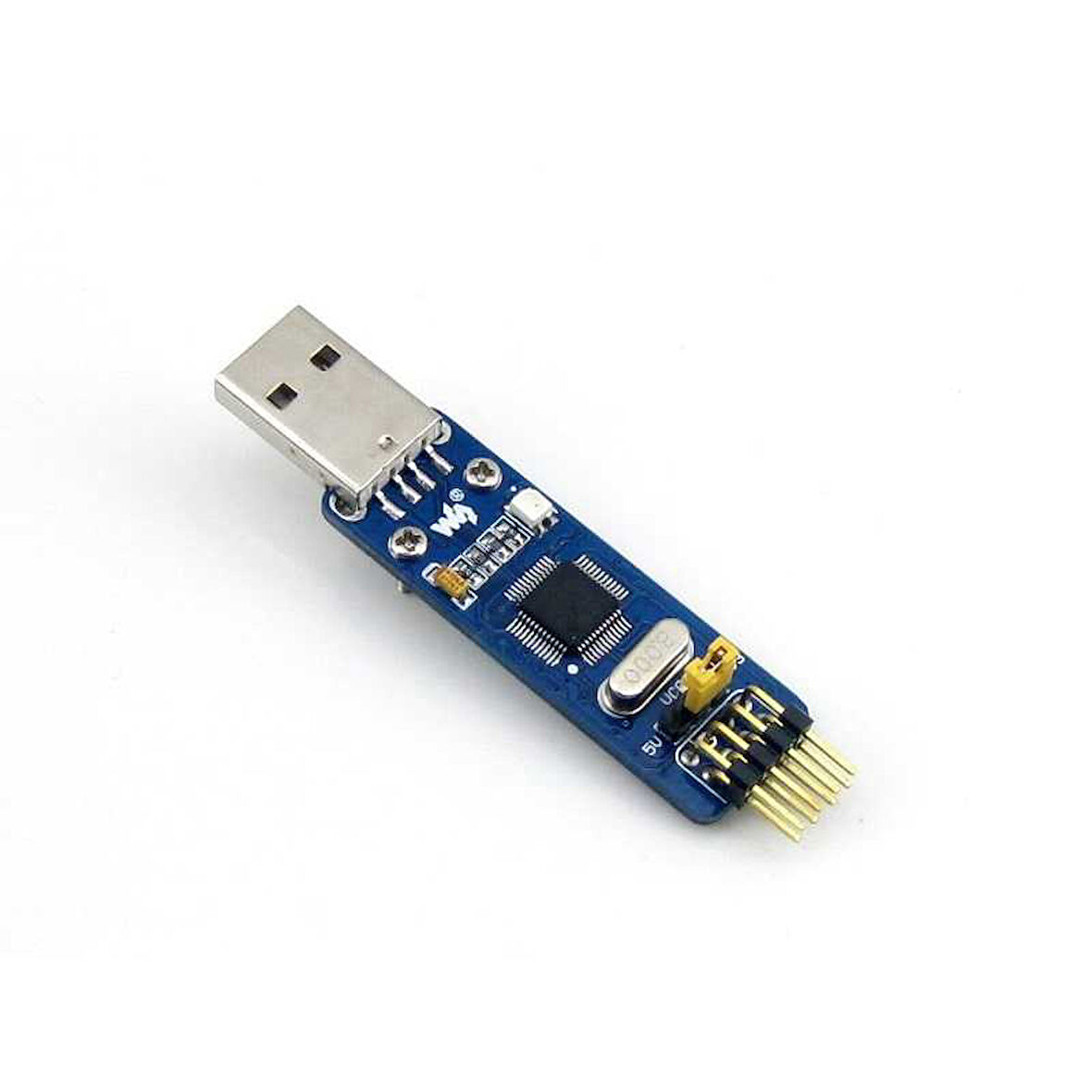
Tüm Ürün Açıklamasını Gör
796,74 TL
Sepette
756,91 TL


Ürün Açıklaması
Description
Mini ST-LINK/V2 on a small single board, an extreme low cost solution for in-circuit debugger/programmer for STM8 and STM32.
Features
- Onboard 500mA self-recovery fuse to avoid harming by short circuit
- Dual voltage output (3.3V/5V), easy for debugging/programming
- Standard USB interface for direct connection to PC
- Debugging/Programing performance
- Debugging : run at full-speed, single-stepped, breakpoints, viewing variables and registers, etc.
- Programming : supports FLASH ROM, EEPROM, AFR, etc.
- USB2.0 combined with SWIM/SWD interfaces : quick response for debugging & fast speed for programming
- Upgradable firmware
- The firmware is upgradable to support more devices in the future
- Automatically upgraded
- Supported software
- ST-LINK Utility v2.0 (or higher ver.)
- STVD Version 4.2.1 (or higher ver.)
- STVP Version 3.2.3 (or higher ver.)
- IAR EWARM Revision v6.20 (or higher ver.)
- IAR EWSTM8 Revision v1.30 (or higher ver.)
- KEIL RVMDK Revision v4.21 (or higher ver.)
- ATOLLIC
- TASKING
- Supported devices
- All the STM8 devices with SWIM interface
- All the STM32 devices with SWD interface
ST-LINK/V2 (mini) Vs ST-LINK/V2 Vs ST-LINK
| COMPARE | ST-LINK/V2 (MINI) | ST-LINK/V2 | ST-LINK | REMARKS |
|---|---|---|---|---|
| SWD voltage range | 1.65V - 3.6V | 1.65V - 3.6V | 3V - 3.6V | ST-LINK/V2 and ST-LINK/V2 (mini) support STM32 low voltage devices |
| SWIM voltage range | 1.65V - 5.5V | 1.65V - 5.5V | 1.65V - 5.5V | |
| Supports SWV | NO | YES | NO | For the moment, only STM32 supports SWV while STM8 doesn't |
| Debug interfaces | 2 | 2 | 1 | ST-LINK/V2 and ST-LINK/V2 (mini) support STM8/STM32 with separated interfaces |
| LED indicator | Dual color LED | Dual color LED | Red LED | Dual color LED allows indicating more status |
| Fuse | YES | NO | NO | Fuse for avoid harming by short circuit |
Connecting with PC
While connecting the ST-LINK/V2 (mini) to the computer through USB interface, the USB driver is required and should be installed correctly first.
Click on the link to download : ST-LINK/V2 USB driver for Windows 7, Vista and XP
Connection with STM8/STM32 applications
The ST-LINK/V2 (mini) should be connected to the STM8 application via the SWIM interface.
| DEBUGGER PIN | TARGET BOARD PIN | DESCRIPTION |
|---|---|---|
| VCC | MCU VCC | STM8 VCC |
| SWIM | MCU SWIM | STM8 SWIM PIN |
| GND | GND | STM8 GND |
| RST | MCU RESET | STM8 RESET PIN |
The ST-LINK/V2 (mini) should be connected to the STM32 application via the SWD interface.
| DEBUGGER PIN | TARGET BOARD PIN | DESCRIPTION |
|---|---|---|
| VCC | MCU VCC | STM32 VCC |
| SWDIO | MCU SWDIO | STM32 SWD SWDIO |
| GND | GND | STM32 GND |
| SWCLK | MCU SWCLK | STM32 SWD SWCLK |
Please note that the VCC and GND should be connected correctly to avoid any harm to the ST-LINK/V2 (mini).
Wiki: www.waveshare.com/wiki/ST-LINK/V2_(mini)
